How can we help you?
How do I create a custom course?
Last updated: Thu, Apr 16, 2026, 8:50 AM
Custom Courses can assist in organizing Study.com lessons for future use. Follow the instructions below to create a Custom Course.
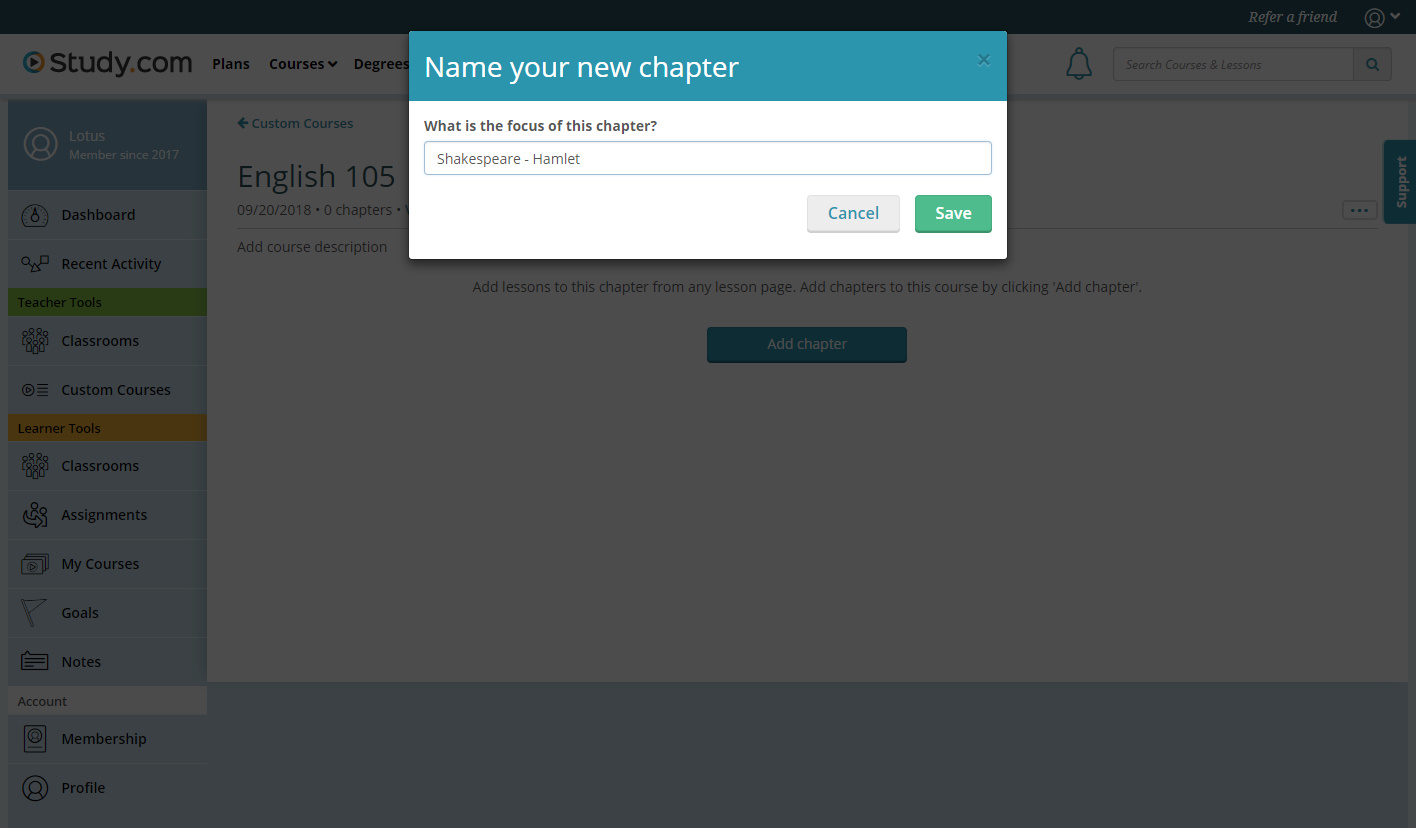
- Go to your dashboard and click on Custom Courses in the sidebar.
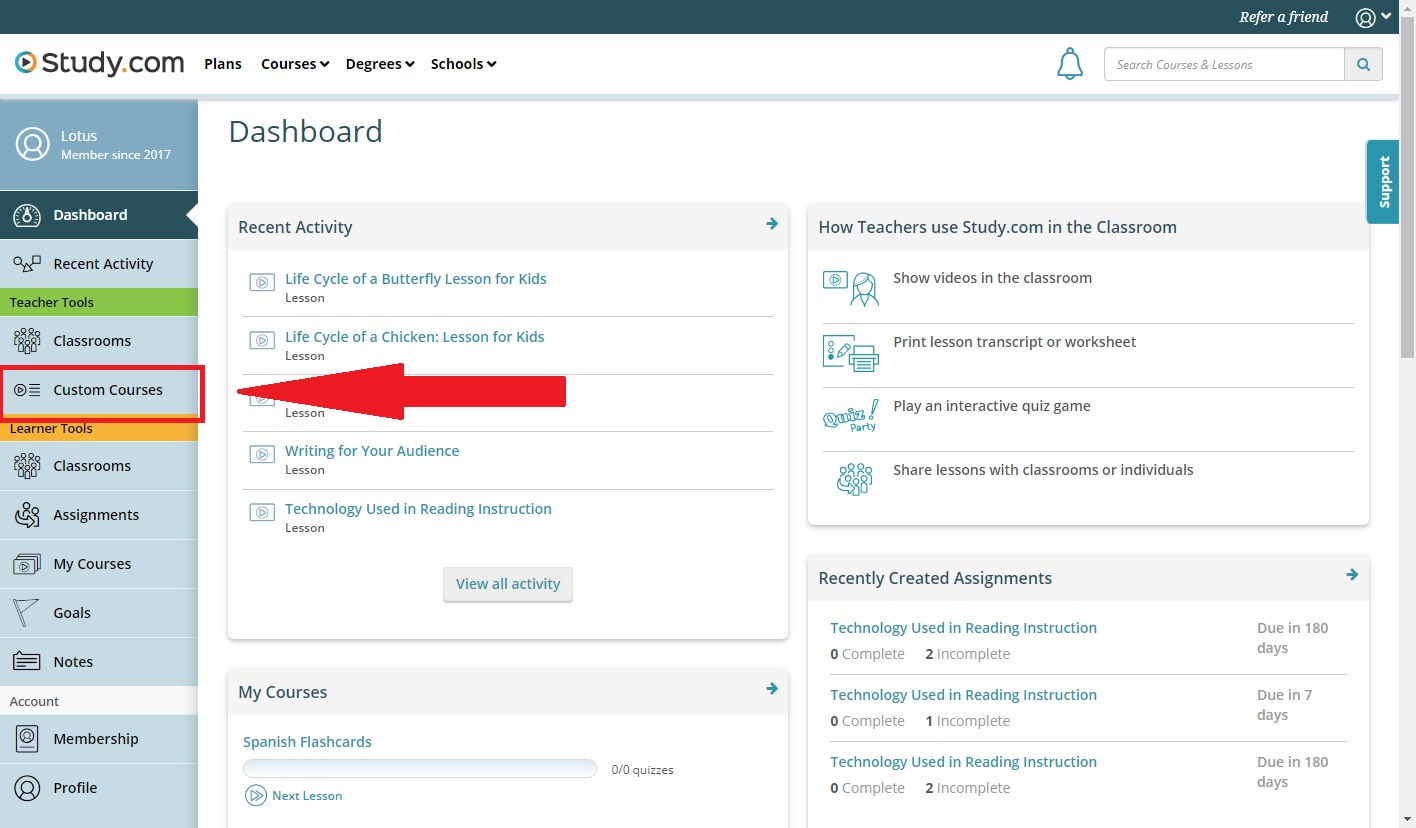
- Click "Create Course".
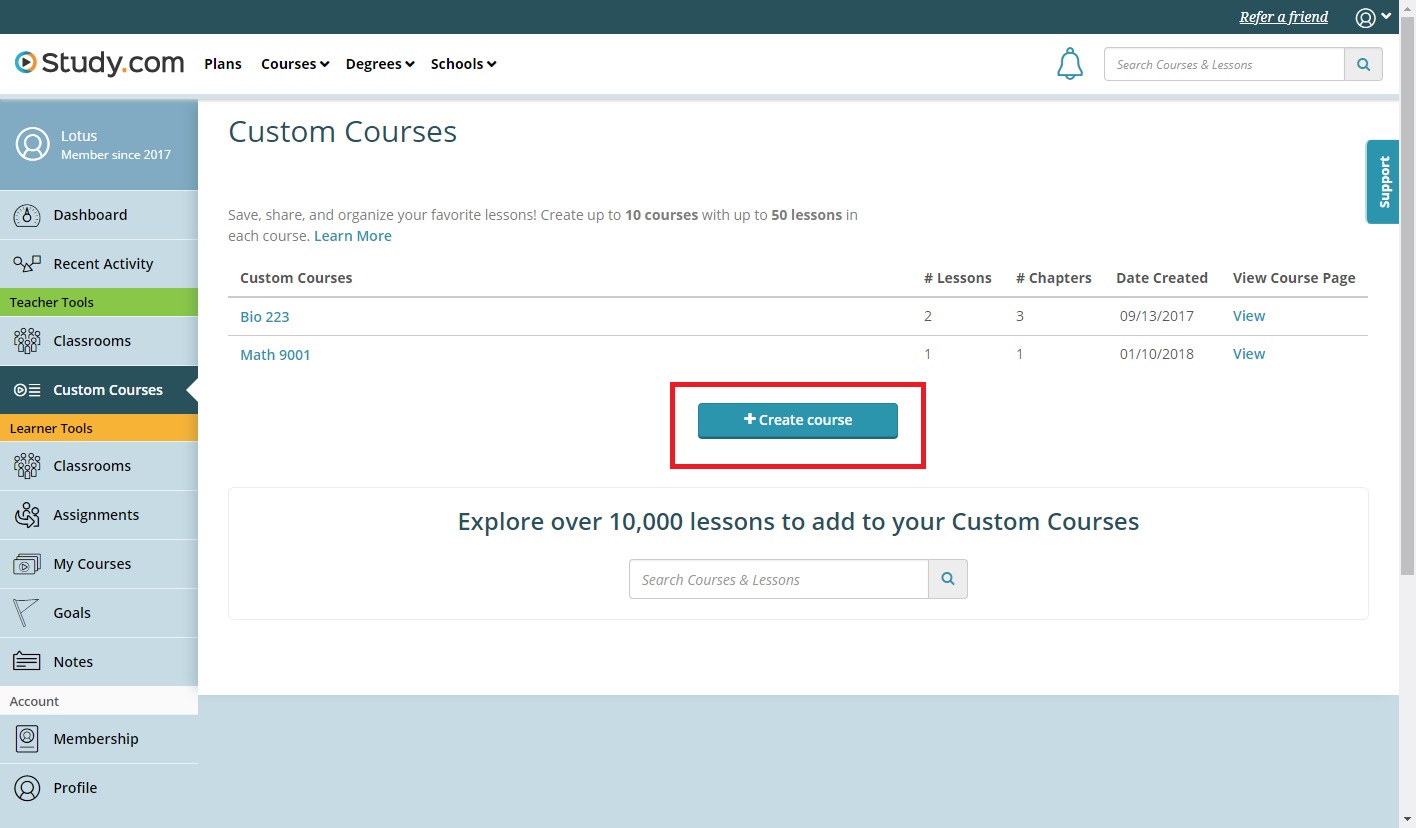
- Choose a title for your Custom Course.
- Your Custom Course is now created! (It might take a few seconds for it to appear.)
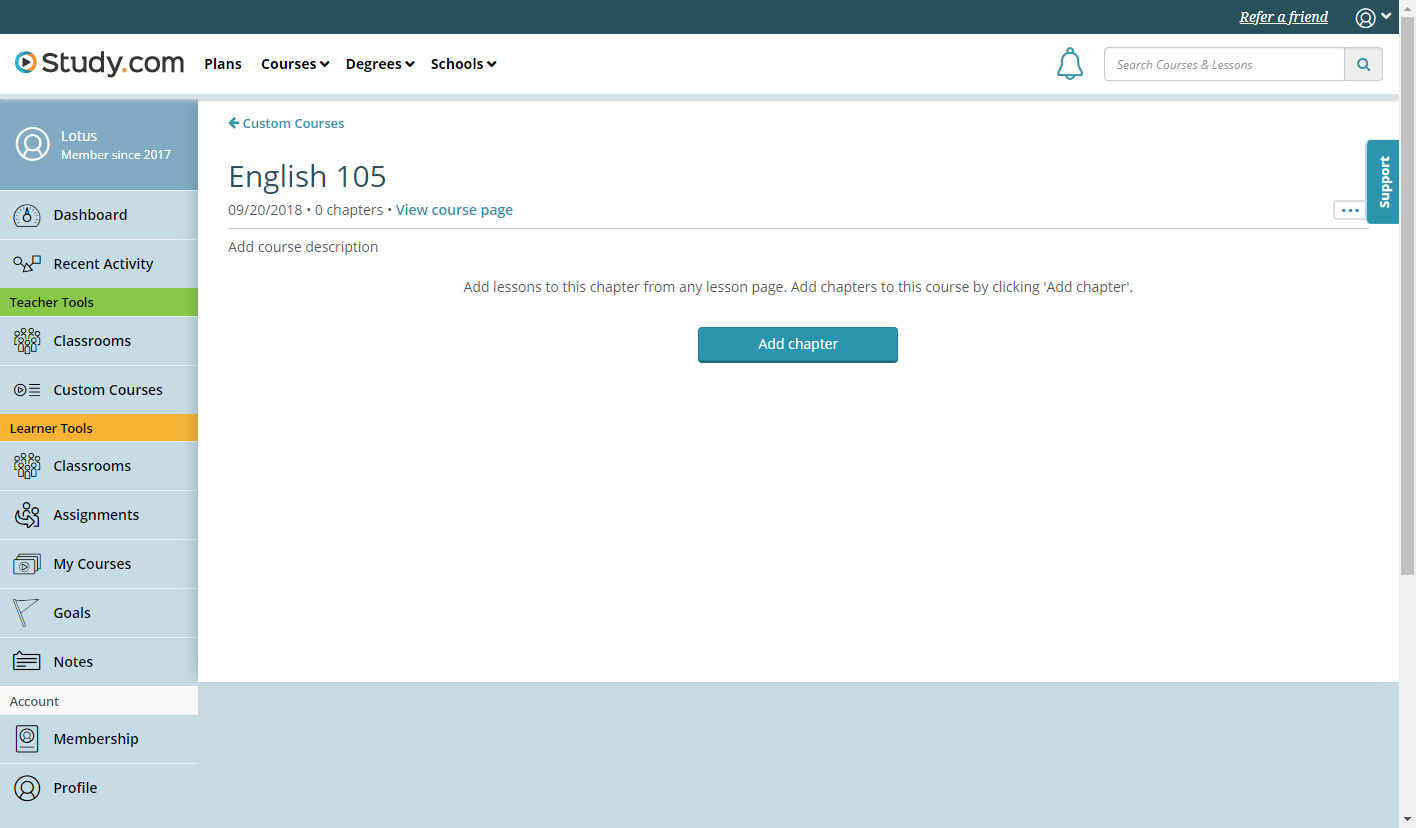
- (Optional) Add a description for your Custom Course by clicking on "Add course description".
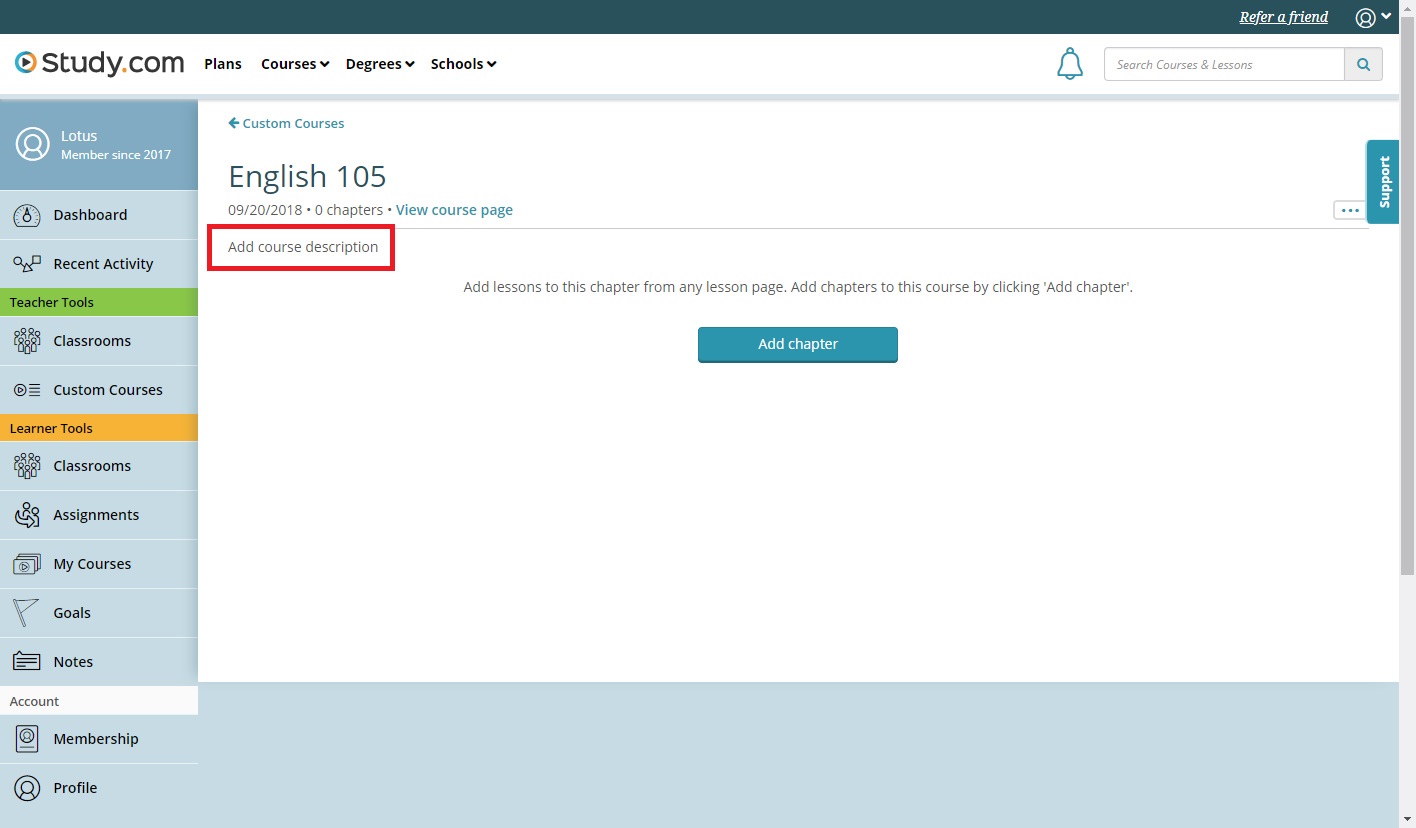
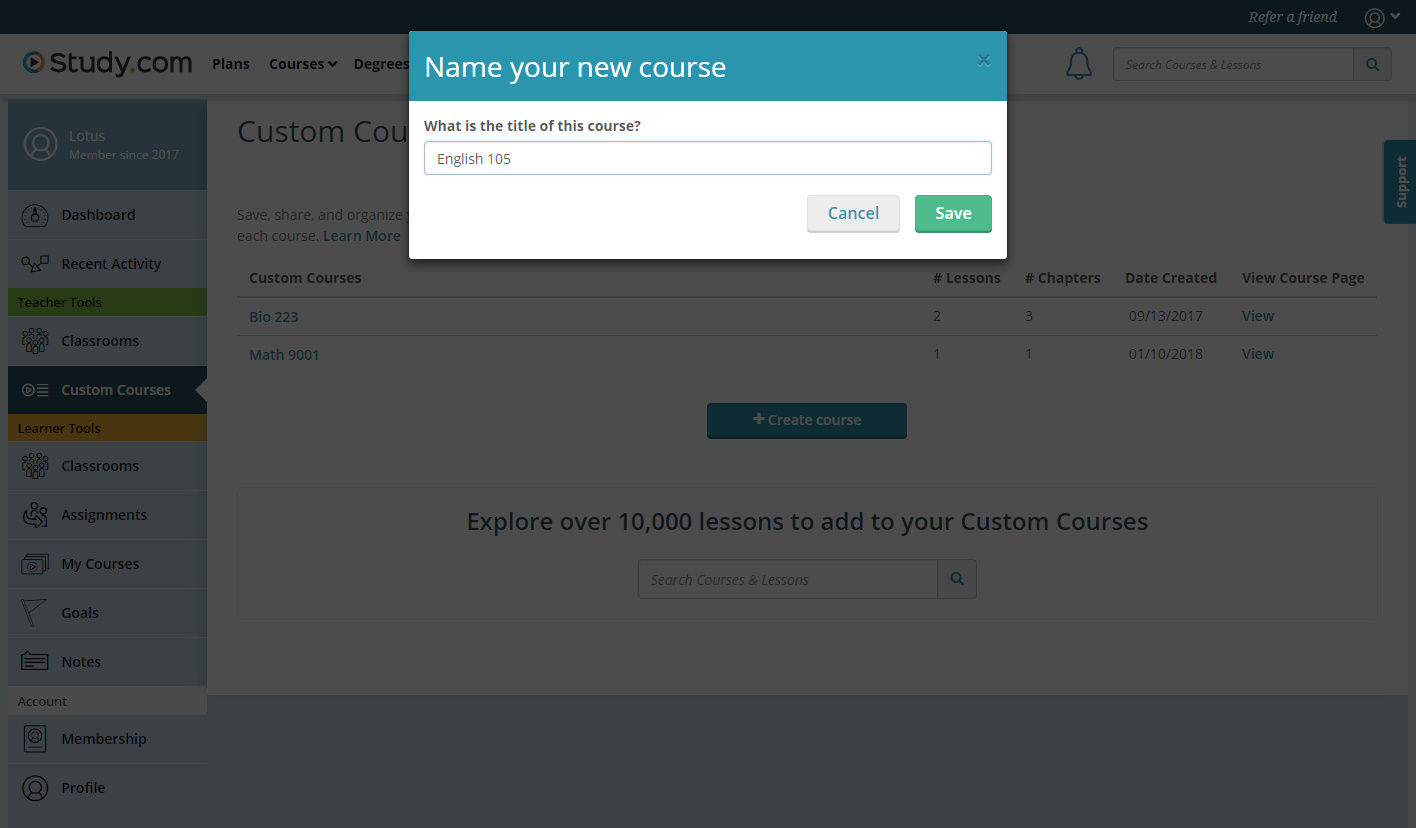
- Create a chapter for your Custom Course by clicking "Add chapter" and giving your chapter a name.